Ask!
LOGO-NEW

Type and hit Enter to search

  • AI
  • Tech
  • Web Development
  • Digital Marketing
  • Business
  • News
  • Web Stories
  • About
  • AI
  • Tech
  • Web Development
  • Digital Marketing
  • Business
  • News
  • Web Stories
  • About
dark-low
  • Home
  • AI
    • ChatGPT
    • Google Gemini
    • Claude
    • Microsoft Copilot
    • AI Tools
    • AI News
  • Tech
    • Apple
    • Android
    • Windows
    • Gaming
    • How To
    • Tips & Tricks
  • Digital Marketing
    • SEO
    • AdSense
    • Affiliate Marketing
    • Email Marketing
    • Social Media
  • Web Development
    • WordPress
    • Shopify
    • Magento
    • Blogger
    • Joomla
    • Drupal
    • Hosting
    • Website Security
    • E-Commerce
  • Business
    • Business Ideas
    • Startup
    • Case Studies
  • News
    • Tech News
    • AI News
  • Web Stories
  • About
  • Home
  • AI
    • ChatGPT
    • Google Gemini
    • Claude
    • Microsoft Copilot
    • AI Tools
    • AI News
  • Tech
    • Apple
    • Android
    • Windows
    • Gaming
    • How To
    • Tips & Tricks
  • Digital Marketing
    • SEO
    • AdSense
    • Affiliate Marketing
    • Email Marketing
    • Social Media
  • Web Development
    • WordPress
    • Shopify
    • Magento
    • Blogger
    • Joomla
    • Drupal
    • Hosting
    • Website Security
    • E-Commerce
  • Business
    • Business Ideas
    • Startup
    • Case Studies
  • News
    • Tech News
    • AI News
  • Web Stories
  • About
Find My iPhone Guide – Track Your Lost iPhone Easily
AppleTech

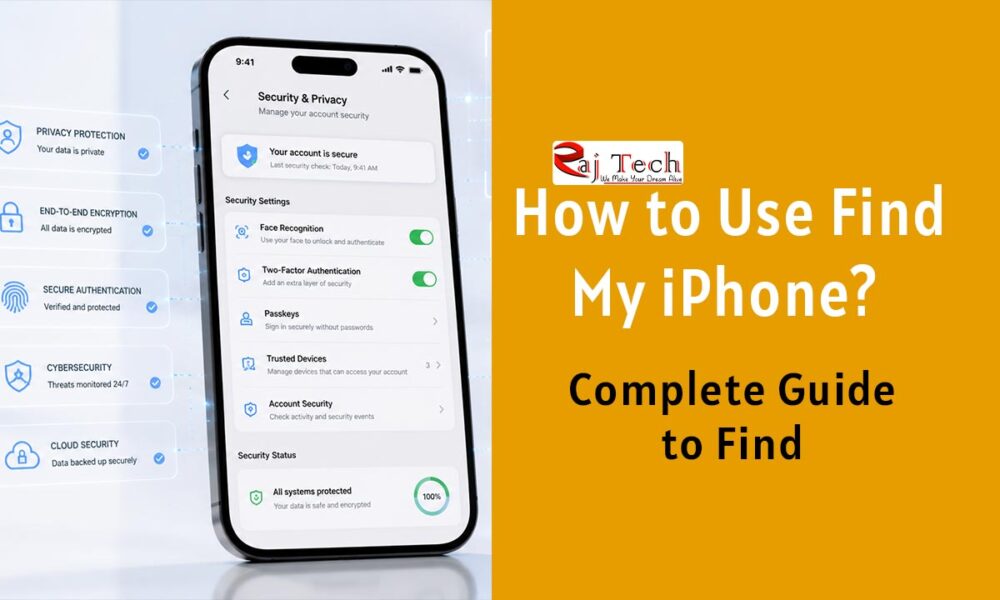
How to Use Find My iPhone? Complete Guide to Find, Lock & Track Your iPhone (2026)

Raj Chaubey
Raj Chaubey
July 22, 2026

Losing a phone means losing more than just a gadget; it involves losing the photos, banking apps, passwords, WhatsApp chats, and personal memories stored inside it. When the phone goes missing, all of this data is lost too. The very first thought that crosses your mind is, “I just want to get my phone back somehow.”

If you use an iPhone, Apple’s “Find My” feature is designed specifically for this situation. However, interestingly, while many people use iPhones, they often don’t know how to set up “Find My” correctly. It is only when the phone is actually lost that one realizes the importance of such a small setting.

In this guide, we will explain in simple terms what “Find My iPhone” is, how it works, how to set it up, and which mistakes to avoid.

Find My iPhone

Contents

Toggle
  • What is Find My iPhone?
  • How to Set Up Find My iPhone?
    • Step 1
    • Step 2
    • Step 3
    • Step 4
    • Step 5
    • Step 6
  • How to Track a Lost iPhone?
  • What is Lost Mode?
  • What to Do If the Phone Cannot Be Recovered?
  • How does Find My work even when you’re offline?
  • Real-Life Benefits of Find My iPhone
  • The Biggest Limitation of This Feature
    • What’s the Catch?
  • How to Make ‘Find My iPhone’ Even More Secure?
  • Frequently Asked Questions
    • Is ‘Find My iPhone’ Free?
    • Can an iPhone Be Tracked from an Android Device?
    • Will Tracking Work Without an Internet Connection?
    • Can a Stolen iPhone Be Unlocked?
  • Final Verdict

What is Find My iPhone?

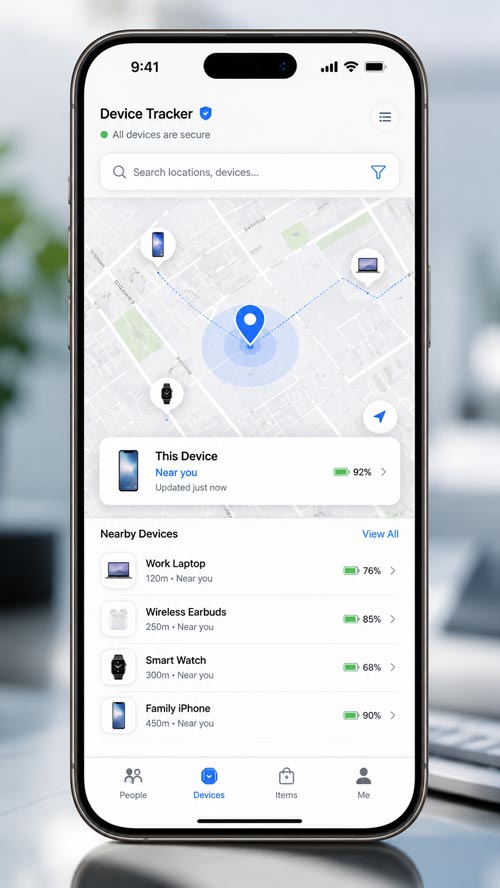
“Find My” is a security feature from Apple that helps track the location of your iPhone, iPad, Mac, Apple Watch, and AirPods (essentially all Apple products).

If your phone gets lost or stolen, you can:

  • View its live location
  • Play a sound on the phone
  • Activate “Lost Mode”
  • Lock the device remotely
  • Erase all data if necessary

The best part is that this feature comes free with your Apple ID, meaning there is no extra cost involved.
Find My iPhone

How to Set Up Find My iPhone?

It is crucial to complete this setup before your phone gets lost.

Step 1

Open Settings.

Step 2

Tap on your Apple ID at the top.

Step 3

Open the ‘Find My‘ option.

Step 4

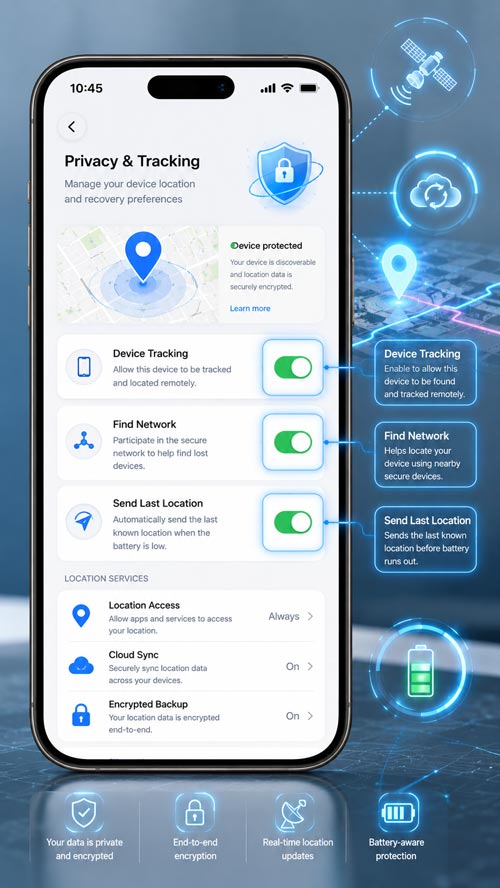
Turn ON ‘Find My iPhone‘.

Step 5

Turn ON ‘Find My Network‘ as well.

This option helps detect the phone’s location even when it is offline.

Step 6

Enable ‘Send Last Location‘ too.

The iPhone sends its last known location to Apple before the battery runs out completely.
Find My iPhone

How to Track a Lost iPhone?

There is no need to panic if your phone is lost.

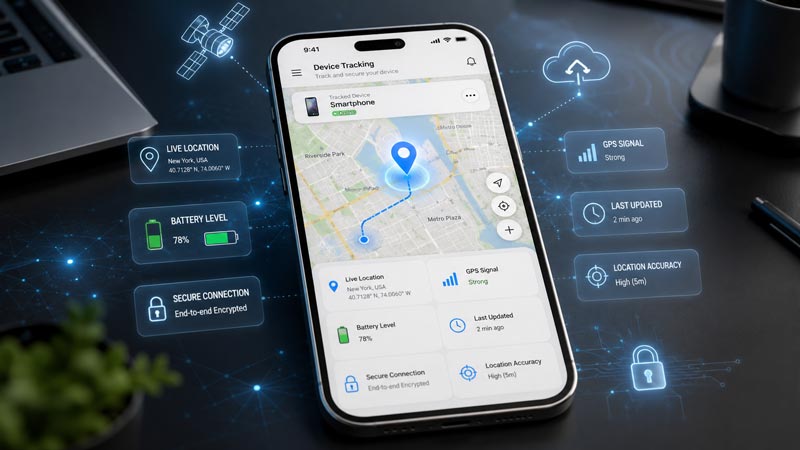
Log in with your Apple ID on any browser or another Apple device and open ‘Find My’.

You will see the device’s current or last known location on the map.

If the phone is nearby, use the ‘Play Sound’ option.

If the phone is with an unknown person, activate ‘Lost Mode’.

In this mode, the phone gets locked, and a contact number can be displayed on the screen.
Find My iPhone

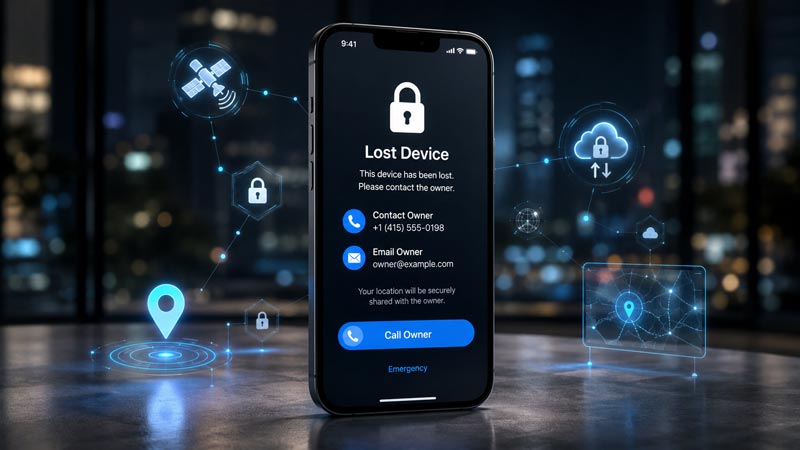
What is Lost Mode?

Lost Mode is a security feature from Apple.

When activated:

  • The phone gets locked.
  • Apple Pay is disabled.
  • A custom message appears on the screen.
  • The person who finds the phone can contact you.

If the phone is recovered, Lost Mode can be turned off simply by entering the passcode.
Find My iPhone

What to Do If the Phone Cannot Be Recovered?

Sometimes, a phone is permanently lost or stolen.

In such cases:

  • Erase the device.
  • Change your Apple ID password.
  • Log out of banking apps.
  • Block your SIM card.
  • File a police complaint.
  • Keep a note of the IMEI number.

These steps help prevent the misuse of your personal data.

Find My iPhone

How does Find My work even when you’re offline?

This feature is one of the most impressive technologies in the Apple ecosystem.

Even if your iPhone is disconnected from the internet, nearby Apple devices can anonymously transmit its approximate location to the Apple network via encrypted Bluetooth signals.

This doesn’t mean the phone will be found in every situation, but the chances of recovery are significantly improved.

Find My iPhone

Real-Life Benefits of Find My iPhone

Features look good on paper, but they are even more useful in daily life.

  • Left your phone in a cab? You can find its last location.
  • Phone on silent mode at the office? You can play a sound to locate it.
  • You can locate a family member’s iPhone.
  • You can track the device while traveling.
  • You can also locate AirPods and Apple Watch.

It’s not just a lost-phone tracker; it’s a comprehensive Apple device management system that comes in handy all the time.

Find My iPhone

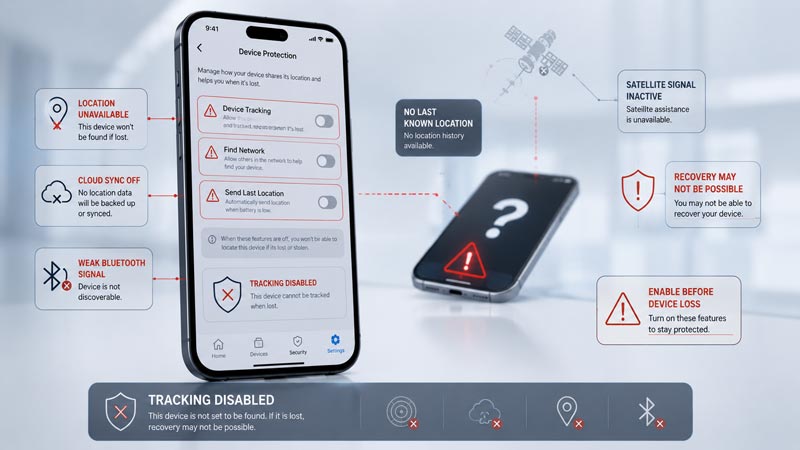
The Biggest Limitation of This Feature

No feature is perfect.

Find My can also fail in certain situations.

What’s the Catch?

If Find My isn’t enabled beforehand, you have to turn it on; once the phone is lost, you cannot switch it on remotely.

If someone else gets hold of your Apple ID credentials, the security risk increases.

Real-time tracking isn’t possible once the battery is completely dead; only the last known location remains available.

And if the phone is intentionally dismantled or suffers hardware damage, tracking reliability drops.

So, don’t wait until you lose your phone—get the setup done beforehand.
Find My iPhone

How to Make ‘Find My iPhone’ Even More Secure?

Be sure to use these settings for optimal security:

  • Strong passcode
  • Face ID
  • Two-Factor Authentication
  • Recovery Contact
  • Recovery Key
  • Regular iCloud Backup

This combination makes your Apple account highly secure.

Find My iPhone

Frequently Asked Questions

Is ‘Find My iPhone’ Free?

Yes, it is available for free on all supported Apple devices.

Can an iPhone Be Tracked from an Android Device?

Yes. You can access ‘Find My’ by logging in with your Apple ID via a web browser.

Will Tracking Work Without an Internet Connection?

If the ‘Find My Network’ is enabled, an approximate location can still be obtained in many situations.

Can a Stolen iPhone Be Unlocked?

Due to Activation Lock, using the iPhone without the original Apple ID becomes extremely difficult.

Final Verdict

If you use an iPhone and haven’t enabled ‘Find My’ yet, complete the setup immediately after reading this guide. It takes just two minutes, but in a pinch, it can save both your device—worth thousands or even lakhs of rupees—and your personal data.

This feature is essential for every iPhone user—whether you are a student, traveler, professional, or business owner. However, if you use the Android ecosystem, this guide obviously won’t apply to you; instead, you should look into Google’s ‘Find My Device’ feature. One thing is clear: ignoring ‘Find My’ seems easy—until the moment your phone actually gets lost.

Tags:

AppleiPhone

Share Article

Raj Chaubey
Follow Me Written By

Raj Chaubey

Raj Chaubey is the Founder and Editor of RajTech with over 16 years of experience in technology, web development, cloud computing, SEO, AI, and digital media. He publishes research-based articles and practical guides covering emerging technologies, online business, and digital innovation.

Other Articles

VPS Hosting Iceland Data Center for Growing Businesses
Previous

Here are Top VPS Hosting Iceland Options for Growing Businesses

Previous
July 21, 2026

Here are Top VPS Hosting Iceland Options for Growing Businesses

VPS Hosting Iceland Data Center for Growing Businesses
  • Latest Stuffs
  • VPS Hosting Iceland Data Center for Growing BusinessesHere are Top VPS Hosting Iceland Options for Growing Businesses
    In Hosting, Web Development
  • facebook historyThe Impact of Facebook on Society: A Deep Dive into Its History
    In History
  • WordPress is Best CMSWordPress is Best CMS (Content Management System) || Raj Tech
    In WordPress, Web Development
  • Which Hosting is Best for a News Portal WebsiteWhich Hosting is Best for a News Portal Website? || Raj Tech
    In Hosting, Web Development
  • News PortalHow to start a perfect News Website or News Portal in India | 2023 || Raj Tech
    In Hosting, Web Development
  • WordPressWordPress Latest 9 Tips For Beginners at 2023 || Raj Tech
    In WordPress, Web Development
  • WordPressWhat is WordPress CMS? What is the benefit of WordPress? || Raj Tech
    In WordPress, Web Development
  • XMLWhat is the benefits of XML Sitemap? Why Create a Sitemap on the Site? || Raj Tech
    In WordPress, Web Development
  • BloggingBlogging- Know about what is blogging || Raj Tech
    In Web Development
  • best-migration-pluginsTop 5 WordPress Migration Plugin to Move Your Site at 2023 || Raj Tech
    In Web Development, WordPress
  • How 2
  • Best 5 Malware and Vulnerability Scanner ToolsBest 5 Malware and Vulnerability Scanner Tools For WordPress in 2023
  • SEO for AI-Generated ContentWhat does SEO for AI-Generated Content and What Does Google Say?
  • Twitter-Auto-Plug-Apps3 Exceptional Twitter Auto Plug Apps- Lead Creator Machine For Twitter
  • WhatsApp Payment Option Not Showing on iPhoneWhatsApp Payment Option Not Showing on iPhone? Here’s How to Fix It!
  • Upcoming Apple products in 2025What’s coming for Apple lovers in 2025? Full List by Raj Tech
  • Simple Customize iMessage Profile on your iPhoneSimple Steps to Customize iMessage Profile on your Apple Devices (iPhone or iPad)

  • AirDrop not working on my iPad, iPhone, or MacAirDrop not working on my iPhone, iPad, or Mac? 10 Ways to Resolve Your Issues
  • lost your Apple AirPodsKnow to Find Your Lost AirPods in any Conditions- Raj Tech Blog
  • Clean UP Tool Removes Any Objects From Photos on iOS 18Clean UP Tool Removes Any Objects From Photos on iOS 18
  • Apple Vision Pro visionOS downgradeDowngrade visionOS on my Apple Vision Pro known in Raj Tech Blog
  • Tech News
  • Madhav-ShethMadhav Sheth Former Realme India CEO, May Join Honor as India’s Head
  • Apple And AmazonAmazon Must Face Antitrust Lawsuit for Inflating Apple Products: United States Court Rules
  • Apple Vision ProMing-Chi Kuo: iPhone 15 to include significantly enhanced UWB chip for seamless integration with Apple Vision Pro
  • Nothing Phone 2 Charging Cable Design TeaserNothing Phone 2 Charging Cable Design Teaser will be released on July 11
  • Silence Unknown CallersWhatsApp Introduces ‘Silence Unknown Callers’ Feature for iOS and Android Users
  • Samsung Galaxy Z Fold 5Samsung Galaxy Z Fold 5 Expected to Carry Lower Price Than Galaxy Fold 4
  • Nokia and AppleNokia and Apple Extend Patent License Agreement for a New Term
  • SAMSUNG GALAXY S21Samsung Confirms India Launch of Samsung Galaxy S21 FE 5G Snapdragon 888 SoC Version in July
  • ChatGPT BlockedChatGPT Blocked: Sorry, you have been blocked, You are unable to access auth0.openai.com
  • Apple Apps FREE- Gone Today On The App StoreApp Has Become Totally FREE On The Apple App Store Today
Raj Tech Blog

Raj Tech Information

About / Our Services / Whatsapp Channel / Careers / Ask ME

Our Company Policy

Terms of Use / Privacy Policy / Ads Policy / Advertise with US / Disclaimer

Follow On Social

Facebook Twitter Youtube Instagram Linkedin Facebook-f Pinterest
Contact / Sitemap / FAQs / DMCA

Copyright ©2026 / All Right Reserved.

  • Home
  • AI
    • ChatGPT
    • Google Gemini
    • Claude
    • Microsoft Copilot
    • AI Tools
    • AI News
  • Tech
    • Apple
    • Android
    • Windows
    • Gaming
    • How To
    • Tips & Tricks
  • Digital Marketing
    • SEO
    • AdSense
    • Affiliate Marketing
    • Email Marketing
    • Social Media
  • Web Development
    • WordPress
    • Shopify
    • Magento
    • Blogger
    • Joomla
    • Drupal
    • Hosting
    • Website Security
    • E-Commerce
  • Business
    • Business Ideas
    • Startup
    • Case Studies
  • News
    • Tech News
    • AI News
  • Web Stories
  • About